
 By platform
X (Twitter) profile photo
On X, your photo appears next to every reply, in a thread of dozens of other tiny faces. Legibility at 48 px is the design constraint.
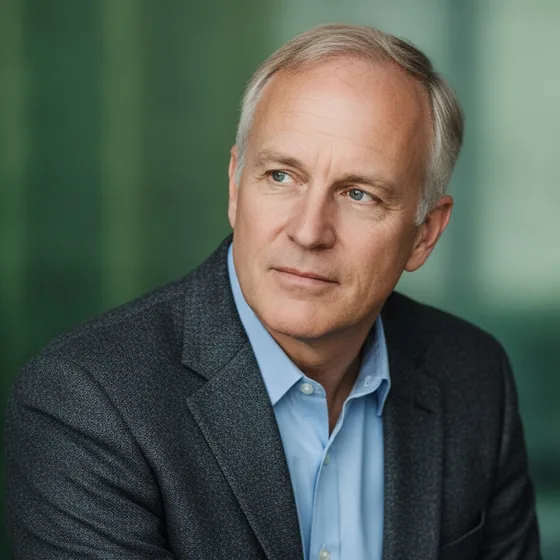
Designing for the smallest size
X displays profile pictures in a circle at sizes ranging from roughly 48 px in a busy thread to a few hundred pixels on a profile page. The photo has to work at both ends of that range, which mostly means keeping it simple.
Upload 400 x 400 px. Anything with fine detail — a patterned shirt, a busy background, small text — turns into noise at the small end, while a plain background and a large face stay readable.
- Upload 400 x 400 px, square, cropped for a circle.
- Plain background; contrast between the head and the background.
- No text or logos — they are illegible at thread size.
- Face filling a good part of the frame, with a margin.
What an X portrait should signal
X is a conversational platform, and the photo is read alongside opinions. For a professional account — a founder, a consultant, a developer — the portrait is part of the credibility of what is being said.
A clean, well-lit portrait works in every context, from a technical thread to a customer conversation. A casual snapshot works in neither, and it is the most common reason a professional account looks less credible than its content.
- Business casual or business dress, matching your field.
- A relaxed, engaged expression — not a formal pose.
- Even light with both eyes visible.
- Consistent with the same person's LinkedIn and site photo.
From a phone photo to a profile picture
Most people use a crop of a photo they already have, which is why so many X avatars are soft, off-centre or lit from below. Starting from a photo taken with decent light and generating a portrait fixes the composition and the light at once.
AI Headshot Pro: Zenith Studio produces a set in one style, so the X avatar, the LinkedIn photo and the site portrait all look like the same person on the same day — which, across platforms, is most of what a professional image is.
How it works
Three steps from a phone photo to a finished image
Upload your photos
Six to ten selfies with different angles and expressions.
Pick a style
Business, editorial, black and white, cinematic — or a profession set.
Download the set
A consistent batch of portraits, ready for your profile.
FAQ
Frequently asked questions
What size should an X profile photo be?
400 x 400 px square. X crops it to a circle and displays it as small as roughly 48 px in busy threads, so a plain background and a large face matter more than resolution beyond that point.
Why does my Twitter photo look blurry?
Usually because a small image is being upscaled for high-density screens. Upload at 400 px or larger, keep the face large in the frame, and avoid cropping in so far that the platform has to enlarge what is left.
Does a professional X account need a headshot?
It helps. The photo is read next to what you say, so a clean, well-lit portrait supports the credibility of the content. A casual snapshot is the most common reason a professional account looks less serious than its posts.
Should my X photo match my LinkedIn photo?
Yes, ideally. Consistency across platforms is what makes a person recognisable, and it signals that the same professional identity is behind both accounts.
Try it on your next photo
Free to download on the App Store. iPhone and iPad only.