
 By platform
Instagram profile picture
Instagram renders your photo as a small circle beside everything you do. It is the most-seen image you will ever upload, and it is 110 px wide.
The size, and why it is smaller than you think
Instagram displays profile pictures at around 110 px and crops them to a circle. Uploading at 320 x 320 px or larger is the practical choice: the platform downscales, and a downscaled image stays sharp, while an upscaled one does not.
The circle is the constraint that matters. Anything outside the inscribed circle is invisible, which means the corners of a square photo are wasted space — and a face that fills the frame will be clipped at the top of the head and the sides of the shoulders.
- Upload 320 x 320 px or larger; Instagram handles the downscale.
- Compose for a circle: the head centred, with a margin on every side.
- Keep the face large — at 110 px, detail is gone and the face is the signal.
- High contrast against the background so the silhouette reads.
Professional versus personal
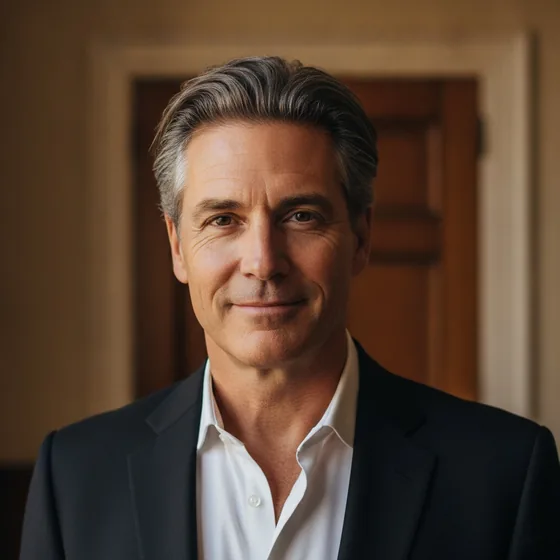
A professional account's profile picture is part of the brand: a clean portrait on a plain background reads as a business, while a holiday snapshot reads as a person. If the account is a shop, a service or a personal brand, the portrait should look deliberate.
For a personal account used professionally — which is most freelancers — the same portrait works, but with a warmer expression and a slightly less formal crop than a corporate directory photo.
- Business accounts: plain background, business dress, composed expression.
- Freelancers and creators: same portrait, warmer expression, less formal clothing.
- Avoid logos, text and busy backgrounds — they disappear at 110 px.
- Keep the same photo everywhere so people recognise you across platforms.
Getting one that survives the circle
The usual failure is a photo taken close up, so the circle crop removes the top of the head and the edges of the shoulders. The fix is to shoot slightly wider than you need and let the platform crop inward.
AI Headshot Pro: Zenith Studio generates portraits in a consistent style from photos you already have, and you can generate the wider, centred composition that a circular crop requires.
How it works
Three steps from a phone photo to a finished image
Upload your photos
Six to ten selfies with different angles and expressions.
Pick a style
Business, editorial, black and white, cinematic — or a profession set.
Download the set
A consistent batch of portraits, ready for your profile.
FAQ
Frequently asked questions
What size should an Instagram profile picture be?
Upload at 320 x 320 px or larger. Instagram displays it at roughly 110 px in a circle, so a larger upload is downscaled and stays sharp, while a small one is upscaled and looks soft.
Why does my Instagram photo get cut off?
Because the platform crops it to a circle. Anything in the corners of a square image is discarded, so compose with the head centred and a margin on all sides rather than filling the frame.
Should my Instagram profile photo be professional?
If the account represents a business or a freelance service, yes. A clean portrait on a plain background reads as a brand at 110 px, where a busy or casual image reads as a personal account.
Can I use the same photo on Instagram and LinkedIn?
Yes, and it helps people recognise you across platforms. Compose for the tightest crop — a circle — and it will work in every other shape too.
Try it on your next photo
Free to download on the App Store. iPhone and iPad only.