
 By platform
Podcast cover photo and host portraits
A podcast cover is a square that gets shown at the size of a postage stamp in a list of other podcasts. The host photo inside it has to survive that.
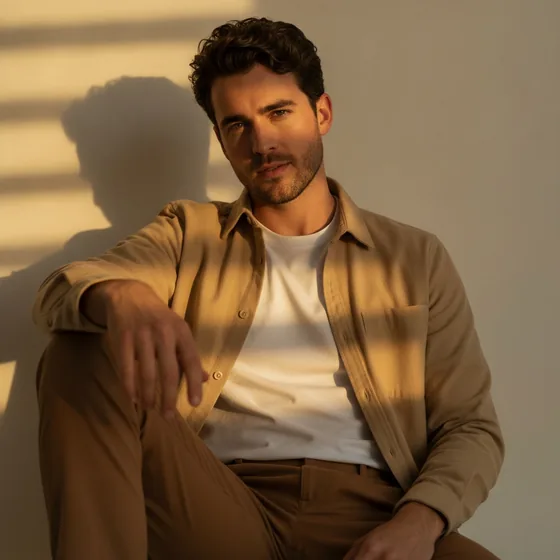
The format the directories require
Apple Podcasts requires square cover art between 1400 x 1400 px and 3000 x 3000 px, in JPG or PNG, with no transparency. Spotify and the other directories follow similar rules, and most of them crop to a circle in some placements.
That circle matters: text or a logo placed in the corners of the square will be cut off in the app. Keep everything important inside the inscribed circle.
- Square, 1400 x 1400 px minimum, 3000 x 3000 px maximum.
- JPG or PNG, no transparency.
- Keep text and logos inside the central circle.
- Check it at 60 px — that is how it is seen in a list.
The host portrait inside the artwork
Most podcasts use either a host portrait or a graphic. A portrait works because it puts a face to the show, which is what makes a listener choose it in a list of unfamiliar names.
For a portrait cover, the composition is the opposite of a profile picture: it is a square with a person, so the head needs to sit slightly above centre with room for the show name below, and the expression has to read at thumbnail size.
- Head slightly above centre, space below for the title.
- Plain or simple background; the title has to remain legible.
- High contrast between the subject and the background.
- A composed, engaged expression — a grin can read as a grimace at 60 px.
Producing the portrait for the cover
The host photo on a cover is usually a crop of a personal photo, which is why so many podcast covers look like a screenshot. Generating a portrait in a consistent style gives the show a look, and the same set of images can be used for the guest page, the website and the social accounts.
AI Headshot Pro: Zenith Studio produces portraits in styles including cinematic and black and white, which is often what a cover needs rather than a corporate look.
How it works
Three steps from a phone photo to a finished image
Upload your photos
Six to ten selfies with different angles and expressions.
Pick a style
Business, editorial, black and white, cinematic — or a profession set.
Download the set
A consistent batch of portraits, ready for your profile.
FAQ
Frequently asked questions
What size should podcast cover art be?
Square, between 1400 x 1400 px and 3000 x 3000 px, in JPG or PNG with no transparency. Apple Podcasts enforces this range, and other directories follow similar rules.
Can podcast cover art have text on it?
Yes, and most shows include the title. Keep it inside the central circle, because several apps crop the square to a circle, and check that it is still readable when the cover is displayed at 60 px.
Should a podcast cover use a photo or a graphic?
A portrait works well, because it puts a face to the show in a list of unfamiliar names. Whichever you choose, the cover has to read at postage-stamp size, which favours one subject and high contrast.
What kind of portrait suits a podcast cover?
One with a plain or simple background, the head slightly above centre, and space below for the title. A composed expression reads better than a broad smile at the small sizes a cover is displayed at.
Try it on your next photo
Free to download on the App Store. iPhone and iPad only.