
 How-to
Headshot photography tips
Twenty tips, ordered by how much each one changes the result. The first five matter more than the other fifteen combined.
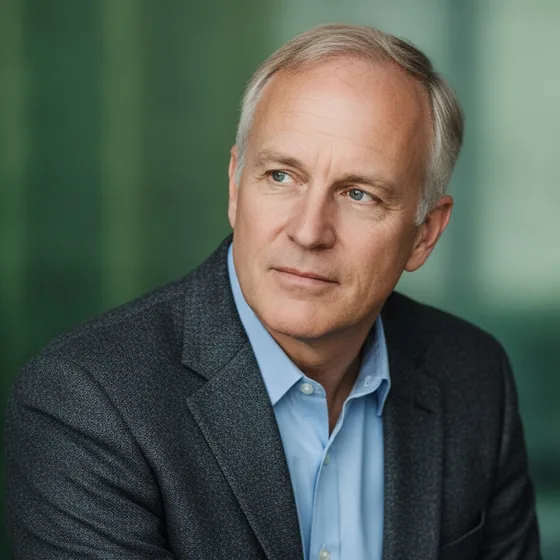
Light and camera (tips 1 to 7)
These seven decide whether the photo is usable at all. Everything after them is refinement.
- 1. Face a window, one metre back.
- 2. Turn the room lights off — mixed light cannot be corrected.
- 3. Put white card on the shadow side to fill it.
- 4. Raise the camera to eye level; prop it.
- 5. Shoot in bursts, not one frame at a time.
- 6. Never use flash; steady the camera instead.
- 7. Avoid direct sun, which makes you squint.
Subject and framing (tips 8 to 14)
These decide whether the portrait looks deliberate. They are all composition decisions, and all of them are free.
- 8. Stand a metre from the background so no shadow falls on it.
- 9. Angle the shoulders 10 to 20 degrees from the camera.
- 10. Chin slightly forward and level; never tilted up.
- 11. Keep the hands out of frame.
- 12. Frame head and shoulders with a margin for cropping.
- 13. Check the background for anything growing out of your head.
- 14. Wear a structured garment in a solid colour.
Before you publish (tips 15 to 20)
The final pass is about the destination. These are the checks that catch the mistakes that survive an otherwise good photo.
- 15. Look at the image at the size it will be displayed.
- 16. Check both eyes are lit and visible.
- 17. Check the silhouette against the background.
- 18. Crop for the platform: circle, square or portrait.
- 19. Export large enough — 400 px minimum, more for print.
- 20. Use the same photo everywhere, so people recognise you.
Where an app fits
Several of these tips are about the background and the light on the face, which is what a generated portrait rebuilds. Take a photo that passes the first seven, and AI Headshot Pro: Zenith Studio handles the consistency and the framing across a set.
How it works
Three steps from a phone photo to a finished image
Upload your photos
Six to ten selfies with different angles and expressions.
Pick a style
Business, editorial, black and white, cinematic — or a profession set.
Download the set
A consistent batch of portraits, ready for your profile.
FAQ
Frequently asked questions
What are the most important headshot tips?
Camera at eye level, light from a window at 45 degrees, a plain background a metre behind you, and shooting in bursts rather than one frame. Those four account for most of the difference between a good portrait and a snapshot.
How do I make a headshot look professional?
Keep it simple: even light, a plain background, structured clothing in a solid colour, a level camera and a relaxed expression. Professionalism in a portrait is mostly the absence of distractions.
What should I check before publishing a headshot?
Both eyes lit, a clear silhouette against the background, the right crop for the platform, an export of at least 400 px, and the same photo used consistently across every platform.
How many photos should I take?
At least twenty frames per look. The first few are always tense, and the relaxed expression usually arrives after the fifth, which is why single-frame photos rarely work.
Try it on your next photo
Free to download on the App Store. iPhone and iPad only.