
 By platform
Company team page headshots
A team page is the single most-assembled page on most websites: portraits from different phones, different years, different light. Consistency is what fixes it.
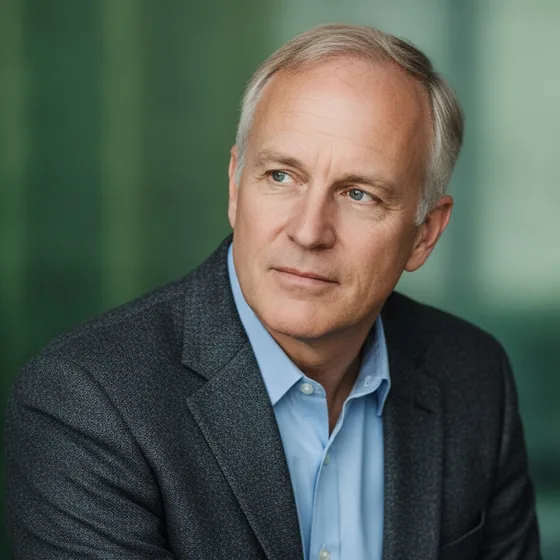
Why team pages look inconsistent
The portraits come from wherever they exist: a conference badge photo, a phone selfie, a picture from a previous employer. Each was taken in different light, on a different background, at a different crop, and putting them side by side makes that obvious.
The page is read as a proxy for the company's attention to detail, which is an unfair but reliable judgement. A coherent grid of portraits signals an organisation; a mismatched one signals a group of individuals.
- Same background tone across every portrait.
- Same crop and framing — head and shoulders, consistent scale.
- Same light direction, so the grid does not flicker.
- Same expression convention: all smiling, or all composed.
Getting there without a photoshoot
The traditional route is a photographer, a room and a rota, which works for one office and fails for a distributed team. The alternative is to define one style and generate every portrait in it from a photo each person already has.
That is what makes a distributed company's team page possible at all: the portrait is produced from a photo taken at home, in the company's style, and it matches the colleagues'.
- Define the style once: background, light, crop, expression.
- Ask each person for a few photos they already have.
- Generate every portrait in the same style.
- Re-generate for new joiners instead of booking another session.
Where else the set gets used
Once a company has a consistent set, it is reused everywhere: the about page, the careers page, proposal documents, conference bios, the internal directory and the meeting grids in Teams and Zoom.
That is the argument for doing it once and doing it properly. The set is an asset that shows up in a dozen places, and inconsistency in any one of them undermines the others.
How it works
Three steps from a phone photo to a finished image
Upload your photos
Six to ten selfies with different angles and expressions.
Pick a style
Business, editorial, black and white, cinematic — or a profession set.
Download the set
A consistent batch of portraits, ready for your profile.
FAQ
Frequently asked questions
How do I make team page photos look consistent?
Fix one style — background, light direction, crop, expression — and apply it to every portrait. Consistency across the grid is what makes a team page read as an organisation rather than a collection of individual photos.
Do we need a photographer for the whole team?
Not if the style is defined and applied to photos each person already has. A photoshoot works for a single office; a distributed team is better served by generating each portrait in the same style.
How many photos does each person need to supply?
Six to ten varied photos — different angles and expressions, taken in decent light — is enough to generate a set of portraits that keeps the person's features and produces a consistent look.
Where else can we use a consistent set of team portraits?
The about page, the careers page, proposals, conference bios, the internal directory, Zoom and Teams. A single coherent set covers all of them, which is why it is worth generating once rather than collecting photos repeatedly.
Try it on your next photo
Free to download on the App Store. iPhone and iPad only.