
 Styles
Studio headshots
A studio headshot is defined by what it removes: no distracting background, no dramatic light, no styling. What is left is the person, which is what most profiles need.
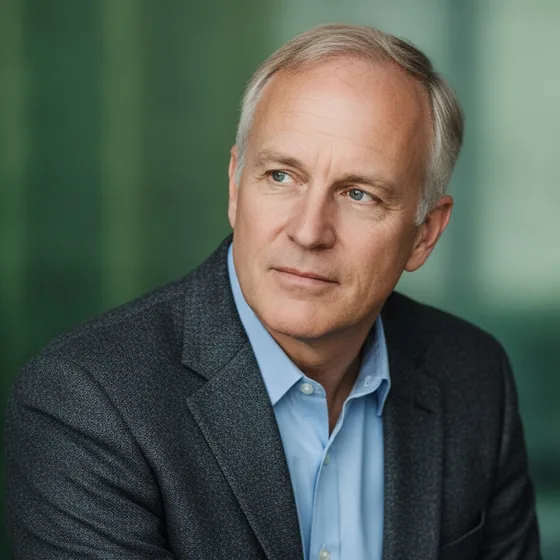
What defines the look
A studio portrait is shot against a seamless background with two or three lights: a key at 45 degrees, a fill to soften the shadow, and sometimes a light behind to separate the subject from the backdrop. The result is even, controlled and deliberately unremarkable.
That is the point. It is the portrait that works in a directory, a CV, a proposal, a conference page and a website without drawing attention to itself — which makes it the correct default for anyone who does not have a specific reason to choose otherwise.
- Seamless background: white, grey, or a soft gradient.
- Key light at 45 degrees with a fill; both eyes lit.
- Head and shoulders, face to camera, shot level.
- Business dress, plain colours, minimal jewellery.
Reproducing it at home
The two ingredients are a plain background and soft, even light, and both exist in most homes: a wall, and a window. Stand a metre back from the window, face it, and put a sheet of white paper on the shadow side to act as the fill.
What you cannot easily reproduce is the separation light behind the subject, which is why so many home portraits look slightly flat against the wall. A generated background solves that: the app replaces the wall and adds the light separation the original lacked.
- Face a window, one metre back, with white card on the shadow side.
- Stand away from the wall so no shadow falls on it.
- Shoot at eye level, head and shoulders.
- Generate the background rather than painting a wall.
Why it is the safe default
Every other style carries a signal: black and white reads editorial, cinematic reads creative, outdoor reads casual. The studio look carries none, which is why it is the correct answer when you do not know who will see the photo.
If you only generate one set, generate this one. Add a second style later for social profiles and personal pages, from the same source photos.
How it works
Three steps from a phone photo to a finished image
Upload your photos
Six to ten selfies with different angles and expressions.
Pick a style
Business, editorial, black and white, cinematic — or a profession set.
Download the set
A consistent batch of portraits, ready for your profile.
FAQ
Frequently asked questions
What is a studio headshot?
A portrait shot against a plain seamless background with controlled, even lighting, framed as head and shoulders. It is deliberately neutral, which is why it works in directories, CVs, proposals and websites without drawing attention.
Can I get a studio headshot without a studio?
Yes. A plain wall and a window give you the background and the light; a sheet of white paper on the shadow side acts as the fill. A generated background then replaces the wall and adds the separation light the original lacked.
Is a studio headshot boring?
It is deliberately unremarkable. That is an advantage in a professional context, where the photo should support what is next to it rather than compete. For social and creative profiles, a more characterful style works better.
Which background colour is best?
White or light grey for most professional uses, because it crops cleanly and looks conventional. A darker background gives more separation and a slightly more formal feel, which suits legal and financial profiles.
Try it on your next photo
Free to download on the App Store. iPhone and iPad only.