
 AI headshots, explained
Are AI headshots worth it?
Worth it if the photo goes on a directory, a profile, a CV or a team page. Not worth it if the photo is going to be the brand.
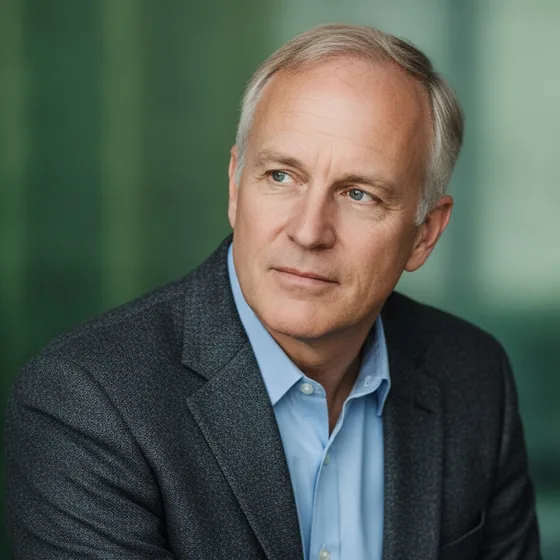
Where they are clearly worth it
The case for AI headshots is volume and consistency: a set to choose from, the same style across a team, and the ability to regenerate when you change. Those are exactly the requirements of the places headshots actually appear — directories, profiles, team pages, CVs and badges.
They are also the cheapest way to fix the most common problem with professional photos, which is that they are five years out of date.
- A directory, CV or profile picture that needs to look current.
- A team page that needs consistency across twenty people.
- A set to choose from, rather than one frame to accept.
- Regenerating when glasses, hair or a role changes.
Where they are not
Three cases still belong to a photographer. A campaign or brand image that has to be art-directed. A formal occasion where the photograph is part of the event. And any image that will be printed large, where the fine detail of hair and skin at full size is where generated portraits show their limits.
There is also the case where the source photos are poor: if you do not have six to ten usable photos of yourself, the result will inherit that, and a session is the faster route to good material.
- Campaign and brand images that need direction.
- Formal occasions and press photography.
- Large-format print where fine detail is visible.
- When you do not have usable source photos.
The honest summary
For most people, the photo that matters is the one in a directory or on a profile, seen at a few hundred pixels, and a generated set serves that better than a studio session does — because it is current, consistent and repeatable.
For the few images that carry a brand, a photographer is still the right answer. AI Headshot Pro: Zenith Studio is built for the first case, and this page exists to say so clearly.
How it works
Three steps from a phone photo to a finished image
Upload your photos
Six to ten selfies with different angles and expressions.
Pick a style
Business, editorial, black and white, cinematic — or a profession set.
Download the set
A consistent batch of portraits, ready for your profile.
FAQ
Frequently asked questions
Are AI headshots worth the money?
For directory photos, profiles, CVs and team pages, yes — they are cheaper than a session, produce a set to choose from, and can be regenerated when you change. For campaign images and large-format print, a photographer is still better.
Do AI headshots look professional enough?
At the size a headshot is displayed, a good generated portrait is indistinguishable from a studio photo. The checks that matter are the eyes, the hairline, glasses and skin texture — if those hold up at 100%, the image is fine.
How many photos do I need for a good result?
Six to ten varied photos: different angles, expressions and lighting, taken recently. If you do not have that many usable photos, a self-taken session with a window and a plain wall is the fastest way to get them.
Should I use AI headshots on LinkedIn?
Yes, provided the portrait looks like you. LinkedIn displays the photo at a few hundred pixels, where a well-generated image is indistinguishable from a studio one, and keeping it current matters more than how it was produced.
Try it on your next photo
Free to download on the App Store. iPhone and iPad only.