
 AI headshots, explained
How to judge an AI headshot generator
Every generator shows its best result. The differences appear on ordinary photos, in the eyes, the hairline and the edges — which is exactly what to test.
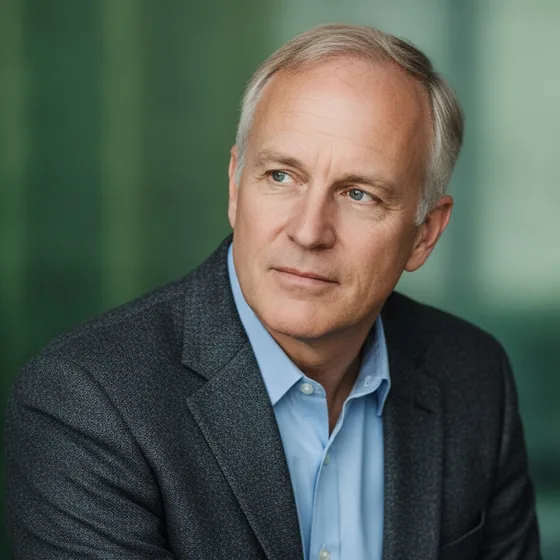
The five tests
Run these on your own photos, not on the examples. A generator that passes all five will produce a usable set; one that fails any of them will produce images you cannot publish.
- Does it still look like you? Compare the eyes, the nose and the jaw against a real photo.
- Is the hairline plausible? It is the most common failure, and the most obvious.
- Do glasses survive? Frames, lenses and reflections are where generators break.
- Is the light consistent across the set, or does each image look like a different session?
- Does it work on an ordinary photo — phone camera, indoor light, no studio?
What the marketing does not tell you
The screenshots on a generator's page are chosen because they worked. The relevant question is what happens with an average photo taken on a phone in a living room, which is what most people actually have.
It is also worth checking what you get: how many images per set, whether they are watermarked, whether you can use them commercially, and whether the app keeps working if you cancel.
- Number of images per set and whether they are watermarked.
- Commercial use rights, which matter for a company page.
- Whether the source photos are deleted, and when.
- Whether the app runs on iPhone and iPad, and which iOS versions it supports.
What Zenith does
AI Headshot Pro: Zenith Studio generates portraits from six to ten of your own photos, keeping your features while rebuilding the light, the background and the framing. It runs on iPhone and iPad, and the images are yours to use commercially.
It is not a passport photo service, and it is not a replacement for a directed brand shoot. It is built for the portraits that appear on directories, profiles, team pages and CVs.
How it works
Three steps from a phone photo to a finished image
Upload your photos
Six to ten selfies with different angles and expressions.
Pick a style
Business, editorial, black and white, cinematic — or a profession set.
Download the set
A consistent batch of portraits, ready for your profile.
FAQ
Frequently asked questions
What makes a good AI headshot generator?
It keeps your features recognisable, handles glasses and hairlines plausibly, produces a consistent set rather than a collection of unrelated images, and works on ordinary phone photos rather than only studio-quality input.
How many photos do I need to supply?
Six to ten varied photos is the usual recommendation: different angles, expressions and lighting, taken over time. More variety gives the generator more to work with, and the result looks more like you.
Can I use AI headshots commercially?
With Zenith, yes — the images are yours, for profiles, company pages, press material and print. Check the terms of any other generator before using its output commercially, because some claim rights over generated images.
Are AI headshots good enough for LinkedIn?
Yes. LinkedIn displays the photo at a few hundred pixels, and a well-generated portrait is indistinguishable from a studio image at that size. What matters is that it looks like you, which is why the source photos should be your own.
Try it on your next photo
Free to download on the App Store. iPhone and iPad only.