
 AI headshots, explained
AI headshots for teams
The reason team pages are out of date is scheduling, not cost. One style applied to photos each person already has removes the scheduling.
Why the photoshoot does not happen
A team photoshoot needs a room, a photographer, a rota and everyone's calendar to agree. In a distributed or busy company that alignment never arrives, and the team page is assembled instead from whatever photos exist — which is why it looks assembled.
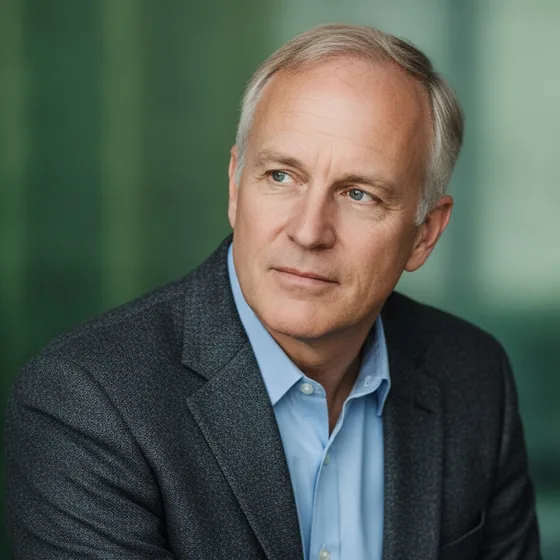
Removing the session removes the problem. Everyone supplies a few photos they already have, and the portraits are generated in a single style.
- One style agreed in advance: background, light, crop, expression.
- Each person supplies six to ten varied photos.
- Portraits generated in the same style for everyone.
- New joiners covered the same week, not at the next session.
What consistency buys you
A team page with matching portraits reads as an organisation; one with mismatched portraits reads as a group of individuals. That judgement is made quickly and it is made about the company, not about the individuals in the photos.
The same set then covers the careers page, proposals, conference bios, the internal directory and the meeting grids in Teams and Zoom — which is why doing it once is worth doing properly.
- Same background tone and crop across every portrait.
- Same light direction, so the grid does not flicker.
- Same expression convention: all smiling, or all composed.
- One set reused across the site, decks, directory and meetings.
The practical rollout
Pick the style from a small pilot with three people, then roll it out. Ask for photos that are recent, in decent light, with a plain-ish background — the same advice as for an individual, just repeated.
AI Headshot Pro: Zenith Studio generates each person's set from their own photos, so nobody has to hand a personal photo to a colleague or upload one to a shared drive.
How it works
Three steps from a phone photo to a finished image
Upload your photos
Six to ten selfies with different angles and expressions.
Pick a style
Business, editorial, black and white, cinematic — or a profession set.
Download the set
A consistent batch of portraits, ready for your profile.
FAQ
Frequently asked questions
How do we get consistent team headshots without a photographer?
Agree one style in advance, ask each person for six to ten photos they already have, and generate every portrait in that style. The consistency is what makes a team page look like a company.
How long does it take to do a whole team?
The collecting takes a few days because it depends on people; the generating takes an afternoon. That is considerably faster than arranging a session that has to fit everyone's calendar.
What about new joiners?
They follow the same process: a few photos in the agreed style, generated the week they join. That is the main practical advantage over a photoshoot, which leaves new starters with an inconsistent photo for months.
Do people have to share their personal photos?
No. Each person generates their own set from their own photos on their own device and supplies only the finished portrait, which avoids the awkwardness of sharing source photos with colleagues.
Try it on your next photo
Free to download on the App Store. iPhone and iPad only.