
 AI headshots, explained
How to judge AI headshot quality
AI portraits fail in five predictable places. Check all five at 100% and you will catch every bad image before it goes on a profile.
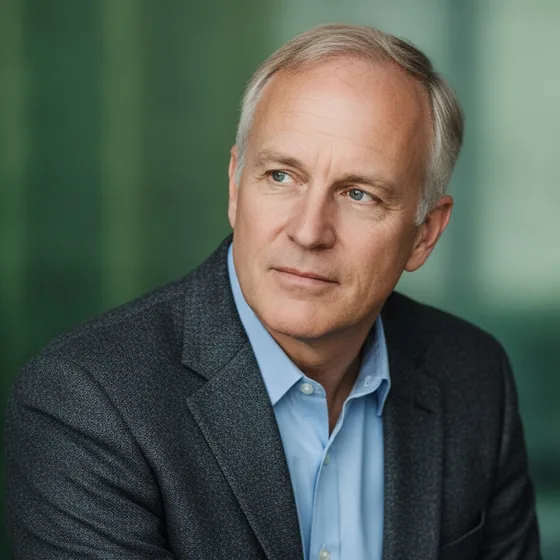
The five checks
Quality here means one thing: would someone who knows you notice something wrong? The failures are consistent, and each takes seconds to check.
- Eyes: the shape, the pupils and the reflections should match your real eyes.
- Hairline: the most common failure — an edge that looks painted rather than grown.
- Glasses: frames should be straight and the lenses should not distort the face.
- Skin: texture, not plastic. Over-smoothing is the giveaway that it is generated.
- Consistency: the same person in every image of the set, with the same features.
What the failures look like
A wrong eye reads as a different person: the gaze is slightly off, the pupils are the wrong size, or the reflections do not match the light source. It is the fastest tell and the most damaging, because eyes are what people look at.
A painted hairline looks like a wig edge. Plastic skin looks like a filter. A set that varies looks like a collection of different people — which is a particular problem on a team page, where the whole point is consistency.
- Eyes that do not match: discard the image.
- Painted hairline: discard, or generate again from better source photos.
- Plastic skin: check at 100% — it is usually invisible at display size.
- Inconsistent set: check three images side by side, not one at a time.
How Zenith handles it
AI Headshot Pro: Zenith Studio generates from your own photos, so features, glasses and hair are carried over from the source rather than invented, and it produces a set in one style so the images match each other.
The practical check is the same as anywhere: look at the result at the size it will be displayed, then at 100%, and compare it against a real photo of yourself.
How it works
Three steps from a phone photo to a finished image
Upload your photos
Six to ten selfies with different angles and expressions.
Pick a style
Business, editorial, black and white, cinematic — or a profession set.
Download the set
A consistent batch of portraits, ready for your profile.
FAQ
Frequently asked questions
How can I tell if an AI headshot is good?
Check the eyes, the hairline, glasses, skin texture and consistency across the set, at 100% zoom. If all five pass, the image will be indistinguishable from a studio photo at the size it is displayed.
Why do AI headshots look fake?
Usually the eyes, the hairline or over-smoothed skin. The eyes are the fastest tell, because people look at them first; the hairline is the most common failure, because it is hard to generate convincingly.
Do AI headshots look like me?
A generator that works from your own photos keeps your features, hair and skin tone, so the portrait looks like you in different light. A generator that invents a face will not, which is why source photos matter.
Should I tell people my headshot is AI-generated?
There is no general requirement to, in the same way nobody labels a retouched studio photo. What matters is that it looks like you, which is the standard any professional portrait is held to.
Try it on your next photo
Free to download on the App Store. iPhone and iPad only.