
 Techniques
Product photography without a studio
What a studio actually provides is control: one light, one background, one fixed camera. All three fit on a table by a window.
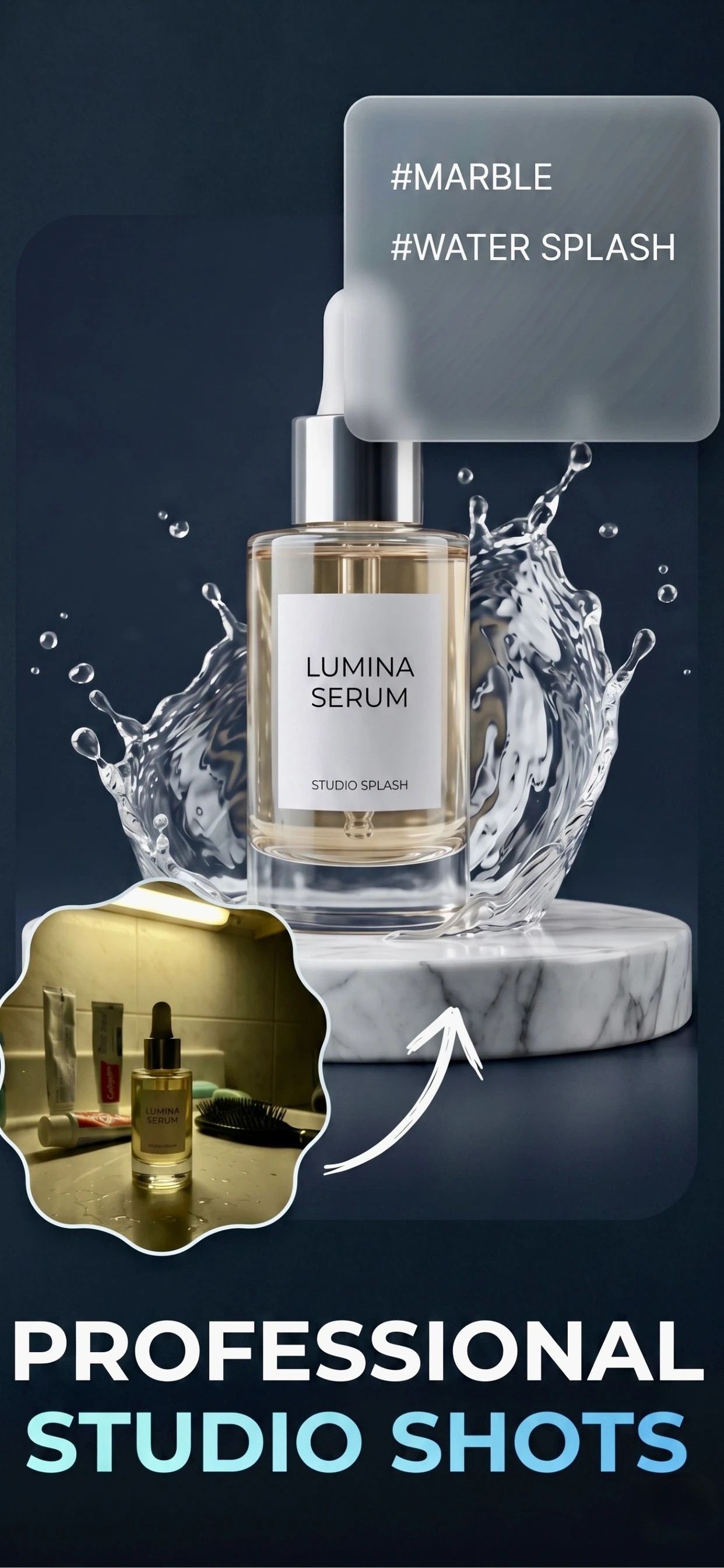
Recreating what a studio gives you
A studio is not expensive equipment; it is a place where the light does not change and nothing else is in frame. You can approximate it with a table beside a north-facing window, a plain surface and a mark on the floor where the camera goes.
The part that is genuinely hard to replicate is space — a large product needs a large set. For anything that fits on a table, a home setup is not a compromise; it is the same job with cheaper gear.
- One table beside a window, used for every product.
- A plain surface: a white board, a sheet, a roll of paper.
- A fixed camera height, marked so it does not drift.
- A white card as a reflector, and a second as a backdrop if needed.
The three things that go wrong at home
The first is mixed light: daylight from the window plus a warm bulb overhead. The product ends up two colours and no amount of editing fixes it cleanly. Turn the room lights off.
The second is clutter in the background. Shoot with the camera close to the product and the surface filling the frame, and the rest of the room disappears. The third is camera shake: at close range, a handheld phone at slow shutter speed softens the details that matter most.
- Room lights off; daylight only.
- Shoot close and fill the frame so the room is not in shot.
- Prop the phone on books or a stand for close-up work.
- Shoot the same product twice at different angles rather than once from far away.
Where the app replaces the studio
The two things a studio provides that a table cannot are a seamless background and controlled light on the product. Zenith AI – Product Photo supplies both: it removes whatever was behind the product, relights it evenly and rebuilds the background as white, a studio backdrop or a described scene.
That means the setup only has to get the light on the product roughly right and the product in focus. Everything after that is a step in the app rather than a piece of equipment.
How it works
Three steps from a phone photo to a finished image
Scan or upload
Take a photo in the app, or pick one you already shot on your iPhone.
Let the AI work
The app removes the background, relights the product and builds the scene.
Export and list
Save a marketplace-ready image at the size your listing needs.
FAQ
Frequently asked questions
Can I take professional product photos at home?
Yes, for anything that fits on a table. A window for light, a plain surface for a background and something to hold the phone steady are the whole setup. The limits appear with large products, which need more space rather than better equipment.
What equipment do I actually need?
A phone, a table beside a window, a plain surface and a sheet of white paper as a reflector. That is enough for most products. A tripod helps for close-up work, and a lightbox helps with small reflective items like jewellery.
Why do my home product photos look amateur?
Usually three reasons: mixed lighting from a window and a room bulb, a busy background, and camera shake at close range. Fixing those three takes a few minutes and changes the result more than any equipment purchase.
Do I need a white backdrop?
Not if the app is removing the background, but a plain surface still helps: it makes the cut-out edges cleaner and it removes colour casts bouncing onto the product. A sheet of white card behind the product is enough.
Try it on your next photo
Free to download on the App Store. iPhone and iPad only.