
 Selling channels
Pinterest product pins
Pinterest is a planning tool, not a feed. People pin products they intend to buy later, which makes the vertical crop and the legible product the whole game.
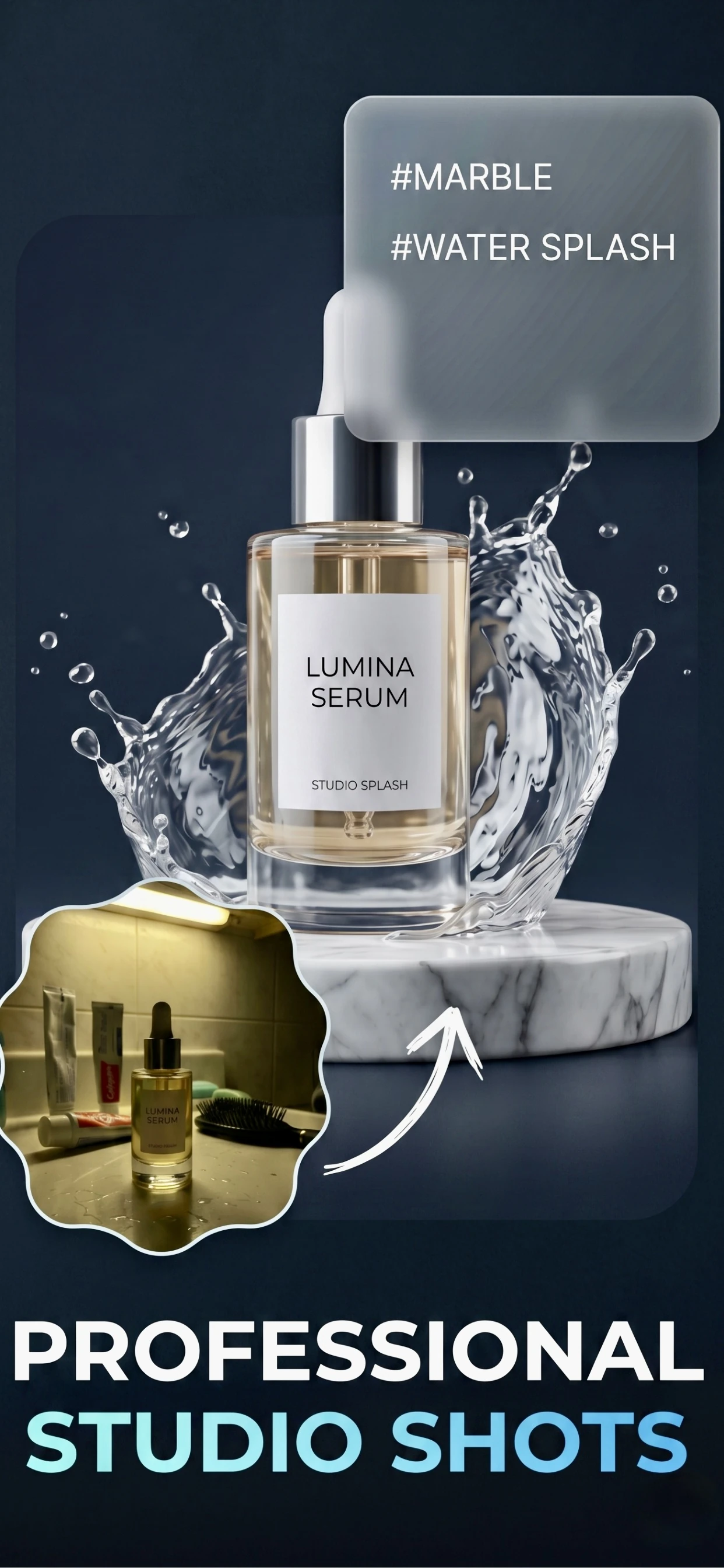
The 2:3 pin, and why the crop matters
Pinterest's native format is a 2:3 vertical rectangle — 1000 x 1500 px is the size to design for. It is the shape the platform promotes in the feed, the shape that takes the most vertical space in search results, and the shape that gives a product room to be seen rather than reduced to a thumbnail.
Square images still work, but they compete badly against tall pins in the same column. If your product photos are square, the fix is a taller crop with the product placed in the upper two-thirds.
- 1000 x 1500 px for a standard pin; 1000 x 2100 px for the extra-tall format Pinterest also serves.
- Keep the product in the top two-thirds — the bottom carries the title and the site name.
- Leave a margin. Pinterest rounds the corners and overlays a save button on hover.
What gets saved, and why
A pin is saved when the person can picture the product in their own life. That is why flat, straight-on catalogue shots underperform on Pinterest while styled, in-context images do well: a styled image answers 'what would this look like at home'.
Pinterest is also a search engine. The title, the description and the alt text are indexed, so name the product, the material and the use case in plain words rather than in brand language.
- Style the shot: on a shelf, on a table, in a hand, in a room.
- One product per pin. Collages and multi-product grids get saved to nobody's board.
- Describe it plainly: 'linen apron, natural, adjustable strap' beats 'The Everyday Collection'.
From one product photo to a pin
Zenith AI – Product Photo turns a phone photo into a styled image: the background is removed, the product is relit and a scene is generated behind it. For Pinterest, the useful step is the last one — generating a room or a surface the product plausibly belongs on, then cropping to 2:3.
Because the pin is tall, it is worth generating the scene at the tallest aspect ratio the app offers and cropping from there, rather than cropping a square and losing the background.
How it works
Three steps from a phone photo to a finished image
Scan or upload
Take a photo in the app, or pick one you already shot on your iPhone.
Let the AI work
The app removes the background, relights the product and builds the scene.
Export and list
Save a marketplace-ready image at the size your listing needs.
FAQ
Frequently asked questions
What is the best Pinterest pin size for products?
1000 x 1500 px, which is the 2:3 ratio Pinterest promotes in the feed and in search. Pinterest also serves a taller 1000 x 2100 px format, which works when the product is long or when there is text on the pin.
Can I use the same image for Pinterest and Instagram?
Not without recropping. Instagram's feed is square or 4:5; Pinterest is 2:3 vertical. Shoot with space around the product and both crops come from the same original.
Do Pinterest pins need text on the image?
They do not need it, and for product pins it is usually better without. Text-heavy pins are common in recipe and blog niches; for a product, the product itself is the hook, and the title under the pin does the explaining.
How does Pinterest shopping work with a product feed?
Pinterest can ingest a product catalogue from your store, but the images still have to be the vertical ones Pinterest likes. A white-background square main image will be cropped, so keep a styled vertical version for each product you promote.
Try it on your next photo
Free to download on the App Store. iPhone and iPad only.