
 Apps & tools
Sports card scanner app
The bottleneck in any collection is identification. A scanner removes it: photograph the card, confirm the match, and the value attaches to it.
What scanning actually replaces
Identifying a card by hand means reading the player, year and set design from the front, the card number and set name from the back, and then working out which parallel it is — which is the part that decides the value and the part that takes the longest.
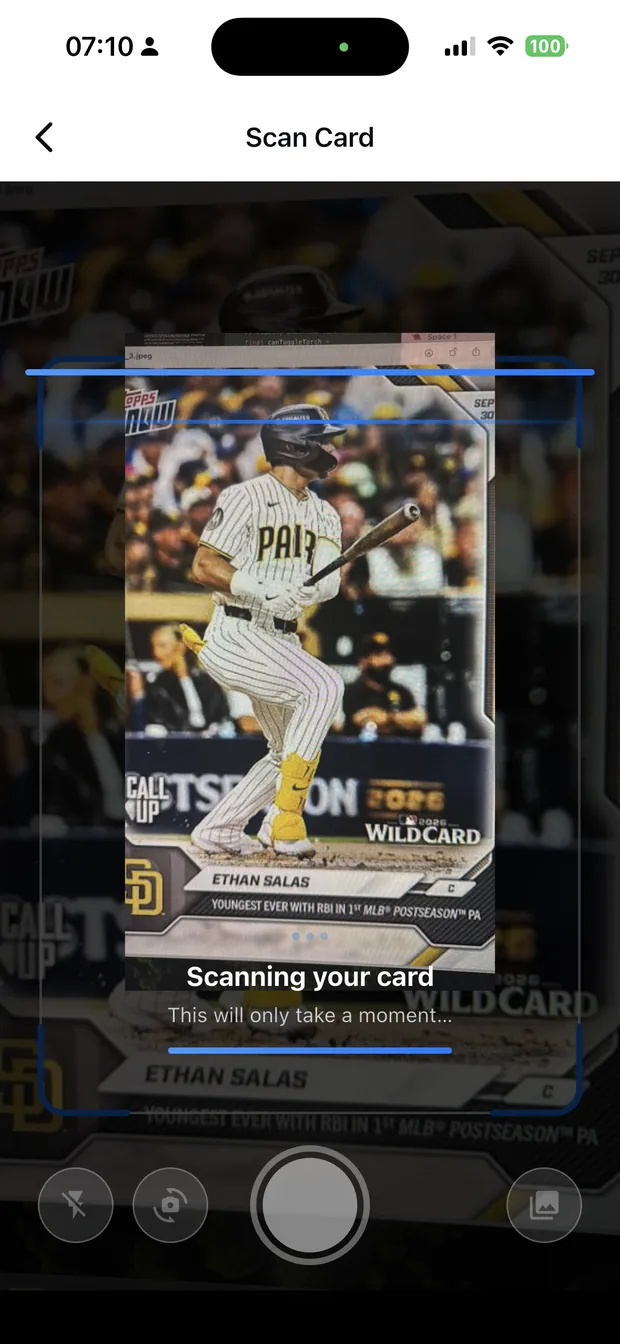
Zenith reads all of it from a single photo and returns the identification with alternative matches where the photo is ambiguous. You confirm before anything is saved, which keeps you in control of the record.
- Raw cards, sleeved cards, binder pages and graded slabs.
- Multi-card photos return candidates to choose from.
- The parallel is part of the identification, not an afterthought.
- Nothing is saved until you confirm the match.
What happens after the scan
Each confirmed card lands in your collection with a market value built from recent comparable sales, and a price history you can open. That is what turns a box of cards into a portfolio with a total.
From there the collection is searchable and sortable: by player, by set, by value, and by the folders you create. You can edit quantity, grade, purchase price and notes on any card.
- Values from recent comparable sales, refreshed as new sales occur.
- Folders for players, sets and personal collections.
- A watchlist for cards you are hunting, separate from what you own.
- Edit grade, quantity and purchase price per card.
How accurate is it, and what to do when it is wrong
Accuracy depends on the photo. Diffused light, a card photographed square-on and filling the frame all improve the read; a foil surface reflecting a window, or a card shot at an angle across a desk, will not.
When the read is wrong, the app shows alternatives — which is the correct design, because a mis-identified card silently added to a collection is worse than one you had to confirm twice.
- Shoot in diffused light; avoid direct sun and flash.
- Fill the frame and keep the card square to the camera.
- One card at a time for the most reliable read.
- Check the alternative matches when the first result looks wrong.
Free and paid
The free plan includes a monthly allowance of scans, catalog search and a small collection. Zenith Pro removes the limits and unlocks folders and deeper market data.
That structure is deliberate: scan a stack of your own cards before paying anything, and see whether the identification is good enough on your material.
How it works
Three steps from a phone photo to a finished image
Scan the card
Point the camera at it — raw, sleeved, in a binder or in a slab.
Confirm the match
Check the player, year, set and parallel Zenith read.
See the value
The card lands in your collection with a market value attached.
FAQ
Frequently asked questions
How does a sports card scanner app work?
You photograph a card and the app reads the player, year, set, card number and parallel, returning the identification for you to confirm. Confirmed cards are added to your collection with a market value based on recent sales.
How accurate is card scanning?
Accurate on a clear photo: even light, the card square to the camera and filling the frame. Foil surfaces reflecting a light source and cards photographed at an angle are the two most common causes of a bad read, and the app offers alternative matches in those cases.
Can it read graded cards and slabs?
Yes. Zenith reads raw cards, cards in sleeves or top loaders, cards in binder pages and graded slabs, and it records the grade when one is detected so you can compare graded and raw values.
Is Zenith free?
The free plan includes a monthly scan allowance, catalog search and a small collection. Zenith Pro removes the limits and unlocks folders and deeper market data.
Try it on your next photo
Free to download on the App Store. iPhone and iPad only.