
 Apps & tools
Card scanning tips
A scan fails for one of three reasons: the light, the angle, or the surface. Each is fixable in seconds.
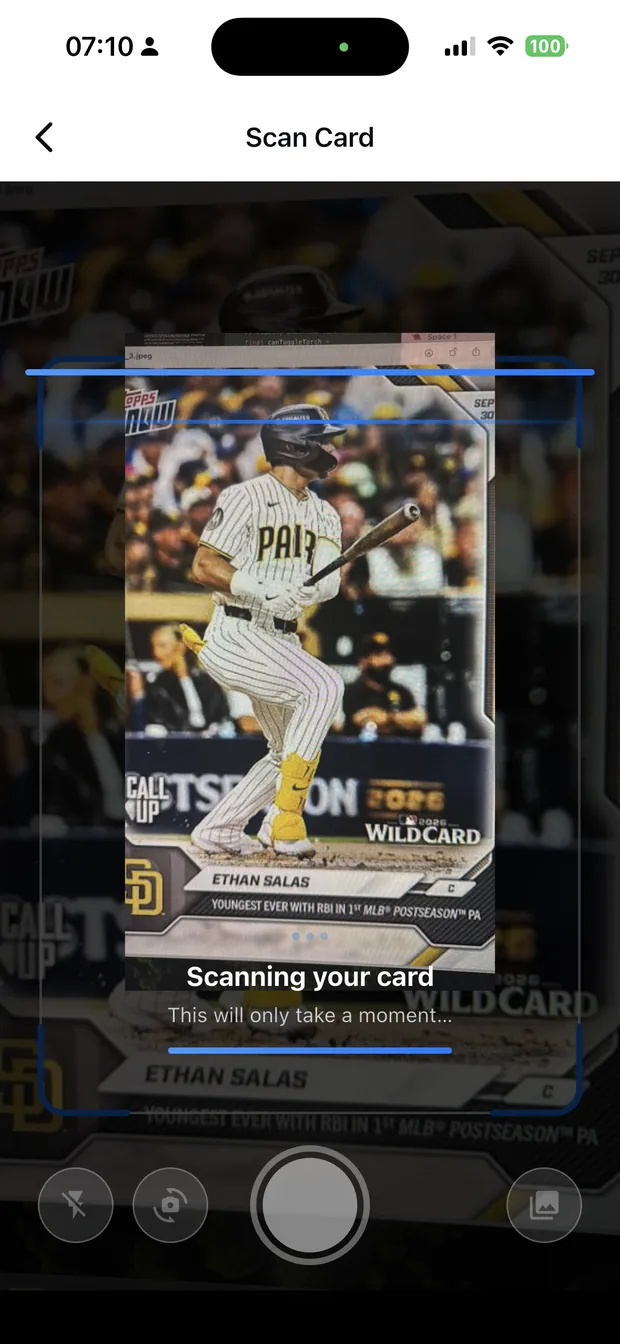
Light: diffused, indirect, no flash
Card surfaces are designed to reflect, which is exactly what breaks automated reading. A window on an overcast day, or a lamp bounced off a wall, gives the even light a read needs.
Direct sunlight and flash both put a hard highlight across the foil, which hides the name and the numbering — the two things the scan needs most.
- Diffused daylight, or a bounced lamp.
- No direct sun, no flash.
- Avoid mixed light sources, which shift the colour.
- Keep your own shadow out of the frame.
Angle and framing
Photograph the card square-on rather than at an angle, and let it fill most of the frame. A card photographed flat and large reads far more reliably than one shot from across a desk.
Shoot one card at a time. Multi-card photos are harder to read accurately, and correcting a mis-read takes longer than the seconds you saved by photographing a stack.
- Square-on, filling the frame.
- One card per photo for the most reliable read.
- Hold steady — prop the phone if you are shooting a lot.
- Avoid shooting through a reflective holder when you can.
Sleeves, slabs and stubborn cards
Sleeves are usually fine — modern penny sleeves are thin and clear. Graded slabs are readable, but the label and the plastic can both reflect, so shoot at a slight angle to the room rather than directly under a light.
When a card will not read, the useful move is to change one variable at a time: move to a different light, then square the card up, then take it out of the holder. Changing all three at once tells you nothing about which one was the problem.
- Penny sleeves: fine to shoot through.
- Top loaders: readable, but watch reflections.
- Slabs: shoot the card, and a second photo of the label.
- Change one variable at a time when a card will not read.
Scanning a whole collection
For volume, set up once: one surface, one light, one phone position, and work through the box in order. Zenith returns the identification for you to confirm, so the work becomes confirming rather than researching.
Rookies and numbered cards first, because they carry the value — and if the session ends early, at least the important cards are recorded.
How it works
Three steps from a phone photo to a finished image
Scan the card
Point the camera at it — raw, sleeved, in a binder or in a slab.
Confirm the match
Check the player, year, set and parallel Zenith read.
See the value
The card lands in your collection with a market value attached.
FAQ
Frequently asked questions
How do I scan sports cards accurately?
Use diffused light with no flash, photograph the card square-on and filling the frame, and shoot one card at a time. Foil surfaces and odd angles are the two most common causes of a failed read.
Can I scan cards in sleeves or slabs?
Yes. Thin penny sleeves are usually fine. Top loaders and graded slabs are readable, but the plastic can reflect a light source, so shoot at a slight angle rather than directly under a lamp.
Why will my card not scan?
Usually a reflection on a foil surface, or the card photographed at an angle. Change one variable at a time — the light first, then the angle, then the holder — rather than all three at once.
How fast can I scan a whole collection?
A card takes seconds once the light and the position are set. For a large collection, work in batches of twenty or thirty, with rookies and numbered cards first so the value is recorded even if the session ends early.
Try it on your next photo
Free to download on the App Store. iPhone and iPad only.